
C-Telopeptide (CTX) Blood Test: Normal Range, High & Low Results, and What It Means for Bone Health
Other names: C-Telopeptide, CTX, C-Telopeptide Serum, C-Telopeptide (CTX), C-Terminal Telopeptide, C-Telopeptide Beta-Cross-Linked, C-Telopeptide Beta-Cross-Linked Serum, Beta-Crosslaps, Beta-CrossLaps CTX, Beta-CTX, B-CTX, Collagen Type I C-Telopeptide, Collagen Type 1 C-Telopeptide, CTX Blood Test, CTX Test, CTX-1, Serum CTX, C-Terminal Telopeptide of Type I Collagen, Collagen Cross-Linked C-Telopeptide, Cross-Linked C-Telopeptide, C-Telopeptide Normal Range, C-Telopeptide Low, C-Telopeptide High, C-Telopeptide Osteoporosis, C-Telopeptide Postmenopausal, Should C-Telopeptide Be High or Low, CTX Bone Marker, CTX Bone Resorption, CTX Interpretation, CTX Reference Range, C-Telopeptide Beta Cross Linked Serum Normal Range, S-C Telopeptide Beta-Crosslaps, CTX CrossLaps, CrossLaps, Telopeptide C Terminal, N-Telopeptide vs C-Telopeptide, P1NP CTX, Bone Turnover Markers, Bone Resorption Marker, CTX Sérique (French), Télopeptide C (French), CTX Laboratorio (Spanish), C-Telopéptido (Spanish), C-Telopeptid (German), Telopeptidos en Suero (Spanish)
 Optimal Result:
38 - 724 pg/mL.
Optimal Result:
38 - 724 pg/mL.

QUICK ANSWER
CTX stands for C-Terminal Telopeptide — a fragment of bone collagen released into the blood when bone tissue is broken down. It is one of the most widely used bone resorption markers in clinical practice.
CTX is a bone breakdown marker. Higher CTX means faster bone loss; lower CTX means slower bone loss.
C-Telopeptide (CTX) measures the rate of bone resorption — the rate at which bone tissue is being broken down. When bone collagen degrades, CTX fragments are released into the bloodstream, making CTX a direct measure of how actively bone is being resorbed.
Should CTX be high or low? Lower is generally better. A lower CTX indicates slower bone breakdown, which is favorable for bone health. High CTX signals accelerated bone resorption — the faster bone breaks down, the higher the fracture risk.
Normal ranges by sex and menopausal status (LabCorp):
| Group | Normal range (pg/mL) |
|---|---|
| Premenopausal women | 40–465 pg/mL |
| Postmenopausal women | 104–1,008 pg/mL |
| Men age 30–50 | 87–345 pg/mL |
| Men over 50 | 114–695 pg/mL |
Note: These ranges are wide because CTX varies significantly with age, menopausal status, time of day, and fasting status. Always compare your result to the reference range on your specific lab report.
Quick number lookup — general orientation (postmenopausal women and men over 50):
| CTX result (pg/mL) | General interpretation |
|---|---|
| Under 40 | Very low — strong bone turnover suppression (bisphosphonate/denosumab effect, or rarely adynamic bone) |
| 40–200 | Low-normal — slower bone resorption |
| 200–500 | Normal range for many adults |
| 500–1,000 | Mildly to moderately elevated — evaluate for osteoporosis, hormonal changes |
| Above 1,000 | Markedly elevated — evaluate for Paget's disease, bone metastases, or severe metabolic bone disease |
These values are orientation guides only — interpret against your lab's sex- and age-specific reference range.
Key takeaway: CTX measures bone breakdown speed. Low or decreasing CTX is the goal for patients on osteoporosis treatment. A very low CTX on bisphosphonate therapy may warrant monitoring for over-suppression of bone turnover.
WHAT IS C-TELOPEPTIDE (CTX)?
C-Telopeptide (CTX) is a fragment of type I collagen — the primary structural protein in bone. During normal bone remodeling, osteoclasts (bone-dissolving cells) break down the collagen matrix, releasing CTX fragments into the bloodstream. The concentration of CTX in serum therefore reflects the rate at which bone tissue is being actively resorbed.
CTX as a bone resorption marker: CTX is one of the most widely used and best-validated bone turnover markers in clinical practice, recommended by the International Osteoporosis Foundation (IOF) as the preferred marker of bone resorption. It is measured alongside or compared to bone formation markers — particularly P1NP (procollagen type I N-terminal propeptide) — to provide a complete picture of bone turnover.
Full names and related terms you may see on your report:
- C-Telopeptide, Serum
- C-Telopeptide Beta-Cross-Linked, Serum
- Collagen Type I C-Telopeptide (CTX)
- Beta-CrossLaps
- S-CTX or Serum CTX
- CTX-1
All of these refer to the same test.
SHOULD C-TELOPEPTIDE BE HIGH OR LOW?
Lower CTX is better for bone health.
CTX measures the rate of bone breakdown. A lower value means bone is breaking down more slowly, which preserves bone density and reduces fracture risk. A higher value means bone is being resorbed faster — associated with bone loss, osteoporosis progression, and increased fracture risk.
What this means in practice:
| CTX result | Interpretation |
|---|---|
| Declining CTX on treatment | Positive response — anti-resorptive therapy is working |
| Very low CTX (< 40 pg/mL) | Possible over-suppression — especially on long-term bisphosphonate therapy |
| CTX in normal range | Bone resorption proceeding at expected rate for age/sex |
| Elevated CTX | Accelerated bone resorption — evaluate for osteoporosis, hyperparathyroidism, bone metastases |
| Markedly elevated CTX | Paget's disease, active bone metastases, or severe metabolic bone disease |
On osteoporosis treatment: A 25–50% reduction in CTX within 3–6 months of starting bisphosphonate therapy (alendronate, risedronate, zoledronate) or denosumab is considered a positive treatment response. Very aggressive CTX suppression (near-zero values) over many years has been associated with atypical femoral fractures — a rare but recognized complication of long-term anti-resorptive therapy.
C-TELOPEPTIDE NORMAL RANGE: BY AGE AND MENOPAUSAL STATUS
Reference ranges for CTX are wider than most biomarkers because bone turnover naturally varies substantially across the lifespan.
Premenopausal women tend to have relatively lower CTX because estrogen suppresses osteoclast activity and restrains bone resorption. After menopause, the loss of estrogen accelerates bone resorption — CTX typically rises significantly in the first 5–10 years post-menopause.
C-telopeptide postmenopausal range: The upper limit of normal doubles or more after menopause (up to ~1,000 pg/mL on LabCorp), reflecting this physiological acceleration of bone turnover. A result that would be high in a premenopausal woman may be within the expected postmenopausal range.
Men show a more gradual increase in CTX with age as testosterone levels decline and bone turnover regulation diminishes. Men over 50 have a wider normal range than younger men.
Why fasting matters: CTX levels peak in the early morning (approximately 4–8 AM) and are lowest in the late afternoon. Food intake — particularly calcium — suppresses CTX acutely. For reproducible results, blood should be drawn in the morning after an overnight fast. Results from non-fasting samples may be up to 30–40% lower than fasting values.
WHAT DOES HIGH C-TELOPEPTIDE MEAN?
High CTX means bone resorption is accelerated — bone collagen is being broken down faster than expected for the patient's age and sex.
Common causes of high CTX:
- Osteoporosis or osteopenia — the most common cause; bone is being lost faster than it is being replaced
- Postmenopausal bone loss — estrogen deficiency markedly accelerates bone resorption
- Hyperparathyroidism — elevated PTH directly stimulates osteoclast activity and bone resorption
- Hyperthyroidism — thyroid hormone excess increases bone turnover
- Paget's disease of bone — markedly elevated CTX; often 3–10× above the normal range
- Bone metastases — cancer cells in bone tissue stimulate osteoclast activity; CTX tracks bone destruction in metastatic disease
- Vitamin D deficiency — secondary hyperparathyroidism from low vitamin D drives bone resorption
- Glucocorticoid/corticosteroid use — steroids increase bone resorption and decrease bone formation
- Immobilization — prolonged bed rest or inactivity reduces mechanical loading and increases bone resorption
- Multiple myeloma — osteolytic lesions from plasma cell infiltration
WHAT DOES LOW C-TELOPEPTIDE MEAN?
Low CTX most commonly reflects successful suppression of bone resorption — usually from anti-resorptive medication.
Common causes of low CTX:
- Bisphosphonate therapy (alendronate, risedronate, ibandronate, zoledronate) — the primary mechanism of these drugs is osteoclast inhibition; CTX falls substantially within weeks of starting treatment
- Denosumab (Prolia, Xgeva) — RANK-L inhibitor that powerfully suppresses bone resorption; produces among the lowest CTX values seen clinically
- Hormone replacement therapy (HRT) — estrogen replacement in postmenopausal women reduces CTX toward premenopausal levels
- Adynamic bone disease — a complication of chronic kidney disease (CKD) where bone turnover is severely suppressed; CTX is very low
- Malnutrition or severe caloric restriction — limits the substrate for bone turnover
- Hypothyroidism — low thyroid hormone slows bone turnover
- Hypoparathyroidism — low PTH reduces bone resorption signaling
Over-suppression concern: In patients on long-term bisphosphonate therapy (typically > 5–7 years), very low CTX (< 40 pg/mL or near-zero) may indicate that bone turnover has been suppressed below healthy levels. This has been associated with atypical femoral fractures. Many clinicians use CTX to guide decisions about bisphosphonate drug holidays.
CTX AND P1NP: INTERPRETING BONE TURNOVER TOGETHER
CTX and P1NP are the two recommended bone turnover markers by the International Osteoporosis Foundation (IOF) for clinical use:
| Marker | What it measures | Direction for treatment response |
|---|---|---|
| CTX (C-Telopeptide) | Bone resorption (breakdown) | Should decrease with anti-resorptive therapy |
| P1NP (Procollagen Type I N-Terminal Propeptide) | Bone formation (build-up) | Should increase with anabolic therapy (teriparatide, romosozumab) |
The CTX/P1NP pattern:
- Both elevated: High bone turnover state — postmenopausal, hyperparathyroidism, Paget's
- CTX high, P1NP normal/low: Uncoupled resorption-dominant pattern — seen in bone metastases, myeloma
- CTX low, P1NP low: Over-suppression or adynamic bone — review bisphosphonate duration
- CTX decreasing, P1NP stable: Good response to anti-resorptive therapy
WHEN TO FOLLOW UP
Discuss your CTX result with a clinician if:
- CTX is significantly above the age/sex-appropriate normal range without an obvious cause
- You are on bisphosphonate therapy and CTX is not declining — may indicate poor absorption or adherence
- You are on long-term bisphosphonate therapy (> 5 years) and CTX is extremely low — discuss bisphosphonate holiday
- CTX is markedly elevated (> 3× upper limit of normal) — evaluate for Paget's disease, bone metastases, or hyperparathyroidism
- CTX is low but you are NOT on anti-resorptive therapy — consider hypothyroidism, malnutrition, or adynamic bone
BOTTOM LINE
Bottom line: CTX is a blood marker of bone resorption. Lower CTX is better — it means bone is breaking down more slowly. Normal ranges vary significantly by sex and menopausal status (premenopausal women: 40–465 pg/mL; postmenopausal: 104–1,008 pg/mL). High CTX indicates accelerated bone resorption from osteoporosis, hormonal changes, Paget's disease, or bone metastases. Low CTX on anti-resorptive therapy confirms treatment response. Always interpret CTX alongside P1NP, vitamin D, PTH, calcium, and DEXA results for a complete picture of bone health.
FAQ about C-Telopeptide, Serum
-
What is a good CTX level?
A "good" CTX level depends on age, sex, menopausal status, and whether you are receiving treatment for osteoporosis. In general, lower CTX indicates slower bone breakdown — which is favorable for bone density and fracture risk. For patients on bisphosphonates or denosumab, a significant reduction in CTX from baseline (typically 25–50% within 3–6 months) is considered a positive treatment response. For untreated patients, a result within the age- and sex-appropriate reference range is the target. Always use the reference range on your own lab report, since values differ by laboratory and patient group. -
Should C-telopeptide (CTX) be high or low?
Lower CTX is better for bone health. CTX measures the rate of bone breakdown — a lower value means bone is being resorbed more slowly, which is favorable for bone density and fracture risk. The goal of anti-resorptive therapy (bisphosphonates, denosumab, HRT) is to lower CTX. However, extremely low CTX on long-term bisphosphonate treatment may indicate over-suppression, which carries its own risks. -
What is the normal C-telopeptide range?
Normal ranges vary significantly by sex and menopausal status. On LabCorp: premenopausal women 40–465 pg/mL; postmenopausal women 104–1,008 pg/mL; men age 30–50: 87–345 pg/mL; men over 50: 114–695 pg/mL. Always use the reference range printed on your own lab report, since ranges differ between laboratories. A result that appears high in a premenopausal woman may be within the expected postmenopausal range. -
What does high C-telopeptide mean?
High CTX means bone is being broken down faster than normal for your age and sex. Common causes include osteoporosis, postmenopausal bone loss, hyperparathyroidism, vitamin D deficiency, hyperthyroidism, Paget's disease of bone, bone metastases, and corticosteroid use. The degree of elevation helps identify the likely cause — very high CTX (several times above normal) suggests Paget's disease, active bone metastases, or severe metabolic bone disease. -
What does low C-telopeptide mean?
Low CTX most commonly means bone resorption has been suppressed — usually from bisphosphonate therapy (alendronate, risedronate, zoledronate), denosumab, or hormone replacement therapy. This is the intended treatment effect. Low CTX in someone not on these medications may indicate hypothyroidism, malnutrition, adynamic bone disease (often in chronic kidney disease), or hypoparathyroidism. -
What is the C-telopeptide normal range after menopause?
Postmenopausal women have a higher normal CTX range than premenopausal women because the loss of estrogen accelerates bone resorption. On LabCorp, the postmenopausal normal range is approximately 104–1,008 pg/mL — roughly double the premenopausal upper limit. CTX typically rises in the first 5–10 years after menopause before stabilizing at a higher baseline. A result in the upper half of the postmenopausal range may still be normal but warrants monitoring. -
Why does CTX need to be measured fasting?
CTX follows a strong diurnal (daily) rhythm — levels are highest in the early morning (around 4–8 AM) and lowest in the afternoon. Food intake, especially calcium-containing foods, acutely suppresses CTX by up to 30–40%. To get reproducible results that can be compared over time, blood should be drawn in the morning after an overnight fast. Non-fasting results are not reliable for tracking treatment response. -
What is beta-crosslaps and is it the same as CTX?
Yes. Beta-CrossLaps (or β-CrossLaps) is a trade name for the Roche electrochemiluminescence immunoassay (ECLIA) that measures the same CTX fragment. You may see your result labeled as "Beta-CrossLaps," "β-CTX," "S-CTX," or "C-Telopeptide Beta-Cross-Linked" depending on which platform your lab uses. The clinical interpretation is the same. -
What is the difference between CTX and P1NP?
CTX measures bone resorption (breakdown); P1NP measures bone formation (build-up). Together they provide a complete picture of bone turnover. Anti-resorptive drugs (bisphosphonates, denosumab) lower CTX. Anabolic bone drugs (teriparatide, romosozumab) raise P1NP. The International Osteoporosis Foundation recommends using CTX and P1NP together as the standard bone turnover marker pair. -
What does CTX stand for?
CTX stands for C-Terminal Telopeptide (or C-Telopeptide) — specifically, a fragment from the C-terminal end of the type I collagen molecule released during bone resorption. The full clinical name is "C-terminal crosslinked telopeptide of type I collagen." In some European countries and on some lab reports, you may see it called CrossLaps, β-CrossLaps, or beta-crosslaps.
Lab Results Explained and Tracked
What does it mean if your C-Telopeptide, Serum result is too high?
High C-telopeptide means bone resorption is accelerated — bone collagen is being broken down faster than expected for the patient's age and sex. Common causes include osteoporosis, postmenopausal bone loss, hyperparathyroidism, hyperthyroidism, vitamin D deficiency, Paget's disease, and bone metastases. In patients with cancer, markedly elevated CTX signals active bone destruction from metastatic disease. CTX is used alongside P1NP and DEXA scanning to guide treatment decisions in metabolic bone disease.
Related Health Conditions

All Your Lab Results.
One Simple Dashboard.
Import, Track, and Share Your Lab Results Easily
Import, Track, and Share Your Lab Results
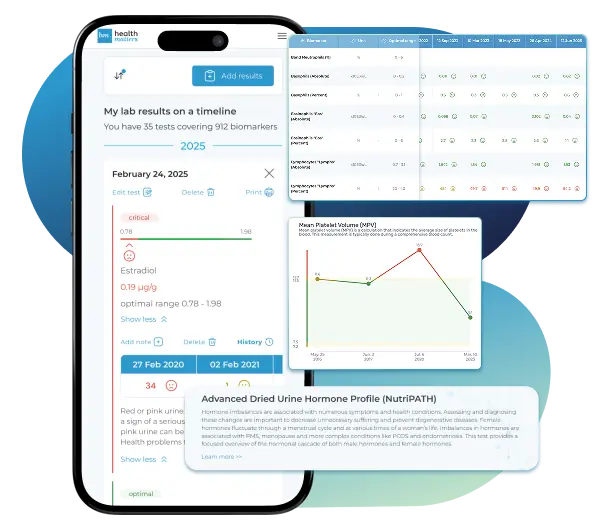
Import lab results from multiple providers, track changes over time, customize your reference ranges, and get clear explanations for each result. Everything is stored securely, exportable in one organized file, and shareable with your doctor—or anyone you choose.
Cancel or upgrade anytime
What does it mean if your C-Telopeptide, Serum result is too low?
Low C-telopeptide most commonly reflects successful suppression of bone resorption from anti-resorptive therapy — particularly bisphosphonates (alendronate, risedronate, zoledronate) or denosumab. A declining CTX on treatment is a positive sign that the medication is working. However, very low CTX on long-term bisphosphonate therapy may indicate over-suppression of bone turnover, which has been associated with atypical femoral fractures. CTX monitoring helps guide decisions about when to take a bisphosphonate drug holiday.
Related Biomarkers
Article Review & Sources
All our content is backed by peer-reviewed studies, academic research, and trusted medical sources. We're committed to accuracy and transparency — see our editorial policy for details.
Laboratories
Bring All Your Lab Results Together — In One Place
We accept reports from any lab, so you can easily collect and organize all your health information in one secure spot.











Pricing Table
Gather Your Lab History — and Finally Make Sense of It
Finally, Your Lab Results Organized and Clear

Personal plans

$79/ year
Advanced Plan
Access your lab reports, explanations, and tracking tools.
- Import lab results from any provider
- Track all results with visual tools
- Customize your reference ranges
- Export your full lab history anytime
- Share results securely with anyone
- Receive 5 reports entered for you
- Cancel or upgrade anytime
$250/ once
Unlimited Account
Pay once, access everything—no monthly fees, no limits.
- Import lab results from any provider
- Track all results with visual tools
- Customize your reference ranges
- Export your full lab history anytime
- Share results securely with anyone
- Receive 10 reports entered for you
- No subscriptions. No extra fees.
$45/ month
Pro Monthly
Designed for professionals managing their clients' lab reports
- Import lab results from any provider
- Track lab results for multiple clients
- Customize reference ranges per client
- Export lab histories and reports
- Begin with first report entered by us
- Cancel or upgrade anytime
About membership
What's included in a Healthmatters membership
 Import Lab Results from Any Source
 See Your Health Timeline
 Understand What Your Results Mean

 Visualize Your Results

 Data Entry Service for Your Reports
 Securely Share With Anyone You Trust
Let Your Lab Results Tell the Full Story
Once your results are in one place, see the bigger picture — track trends over time, compare data side by side, export your full history, and share securely with anyone you trust.




Bring all your results together to compare, track progress, export your history, and share securely.
What Healthmatters Members Are Saying

I have been using Healthmatters.io since 2021. I travel all over the world and use different doctors and health facilities. This site has allowed me to consolidate all my various test results over 14 years in one place. And every doctor that I show this to has been impressed. Because with any health professional I talk to, I can pull up historical results in seconds. It is invaluable. Even going back to the same doctor, they usually do not have the historical results from their facility in a graph format. That has been very helpful.
Anthony
Unlimited Plan Member since 2021
What fantastic service and great, easy-to-follow layouts! I love your website; it makes it so helpful to see patterns in my health data. It's truly a pleasure to use. I only wish the NHS was as organized and quick as Healthmatters.io. You've set a new standard for health tracking!
Karin
Advanced Plan Member since 2020
As a PRO member and medical practitioner, Healthmatters.io has been an invaluable tool for tracking my clients' data. The layout is intuitive, making it easy to monitor trends and spot patterns over time. The ability to customize reports and charts helps me present information clearly to my clients, improving communication and outcomes. It's streamlined my workflow, saving me time and providing insights at a glance. Highly recommended for any practitioner looking for a comprehensive and user-friendly solution to track patient labs!
Paul
Healthmatters Pro Member since 2024

We implement proven measures to keep your data safe.
At HealthMatters, we're committed to maintaining the security and confidentiality of your personal information. We've put industry-leading security standards in place to help protect against the loss, misuse, or alteration of the information under our control. We use procedural, physical, and electronic security methods designed to prevent unauthorized people from getting access to this information. Our internal code of conduct adds additional privacy protection. All data is backed up multiple times a day and encrypted using SSL certificates. See our Privacy Policy for more details.