
 Optimal Result:
5.2 - 22.4 ng/mL.
Optimal Result:
5.2 - 22.4 ng/mL.

Osteocalcin, Serum
What Is Osteocalcin?
Osteocalcin is a protein hormone produced almost exclusively by osteoblasts, the specialized bone-forming cells. It plays a critical role in bone formation, mineralization, and calcium regulation. Osteocalcin is considered one of the most specific markers of bone-building activity and is often used to assess bone metabolism and bone turnover.
After being synthesized by osteoblasts, osteocalcin becomes incorporated into the bone matrix or is released into the bloodstream. Measuring serum osteocalcin helps evaluate the rate at which new bone is being formed — making it a valuable marker in diagnosing and monitoring osteoporosis, metabolic bone diseases, and certain hormonal disorders.
Why Is the Osteocalcin Test Important?
A serum osteocalcin test is used to:
-
Assess bone formation activity
-
Evaluate and monitor osteoporosis
-
Measure response to bone-targeting treatments
-
Investigate metabolic bone disorders
-
Explore hormonal imbalances affecting bone metabolism (e.g., thyroid, parathyroid, testosterone)
Since osteocalcin is produced only by bone-forming cells, its levels directly reflect osteoblastic activity. It is often measured along with other markers of bone turnover, such as:
-
Bone-specific alkaline phosphatase (BAP)
-
C-telopeptide (CTX)
-
N-telopeptide (NTX)
-
P1NP (Procollagen Type 1 N-Terminal Propeptide)
What Do Elevated Osteocalcin Levels Mean?
High osteocalcin levels indicate increased bone formation activity, which may be normal or pathological depending on the context.
Common Causes of Elevated Osteocalcin:
-
High Bone Turnover States
-
Osteoporosis (especially postmenopausal)
-
Paget’s disease of bone
-
Fracture healing
-
Hyperthyroidism
-
Primary hyperparathyroidism
-
-
Metabolic Bone Disorders
-
Osteomalacia or rickets
-
Renal osteodystrophy (bone changes in chronic kidney disease)
-
-
Anabolic Treatment for Osteoporosis
-
Medications like teriparatide or romosozumab may cause a rise in osteocalcin as they stimulate new bone formation.
-
-
Puberty or Growth Spurts in Children
-
Osteocalcin is naturally elevated due to rapid bone growth.
-
-
Certain Cancers
-
Some bone tumors or cancers with bone metastases may influence bone turnover markers.
-
What Do Low Osteocalcin Levels Mean?
Low serum osteocalcin suggests reduced osteoblastic activity or impaired bone formation.
Common Causes of Low Osteocalcin:
-
Hypoparathyroidism
-
Hypothyroidism
-
Glucocorticoid use (e.g., long-term corticosteroids)
-
Osteoporosis with low bone turnover
-
Malnutrition or vitamin K deficiency (osteocalcin is a vitamin K-dependent protein)
-
Diabetes mellitus (associated with reduced osteocalcin activity)
Osteocalcin and Hormones: An Emerging Link
Beyond its role in bone health, recent research suggests that osteocalcin also acts as a hormone influencing:
-
Insulin secretion and glucose metabolism
-
Testosterone production in men
-
Possibly cognitive function and energy regulation
These extra-skeletal roles are still being investigated, but they hint at osteocalcin’s wider influence in human health.
How Is the Osteocalcin Test Performed?
-
Sample type: Blood (serum)
-
Fasting is often recommended since osteocalcin levels can fluctuate with meals.
-
Time of day may matter — levels may follow a circadian rhythm, so testing is usually done in the morning.
Reference Ranges
Normal ranges for serum osteocalcin vary depending on the lab and assay used, but general guidelines are:
| Group | Osteocalcin (ng/mL) |
|---|---|
| Adult Men | 8–32 ng/mL |
| Premenopausal Women | 8–30 ng/mL |
| Postmenopausal Women | 14–46 ng/mL |
| Children/Adolescents | Often higher (20–70+) due to growth |
Note: Levels may vary depending on age, sex, menopausal status, and medications. Always interpret values in the context of other lab tests and clinical findings.
Who Should Get Tested?
Your doctor may recommend a serum osteocalcin test if you:
-
Are being evaluated for osteoporosis or low bone density
-
Have signs of a metabolic bone disorder
-
Are starting or monitoring treatment for bone loss
-
Have unexplained bone pain, fractures, or deformities
-
Have a history of thyroid, parathyroid, or kidney disease
-
Are being assessed for testosterone deficiency or metabolic changes
Osteocalcin in Osteoporosis Monitoring
-
In postmenopausal osteoporosis, osteocalcin levels are often elevated due to increased bone turnover.
-
If you're receiving antiresorptive therapy (like bisphosphonates), osteocalcin may decrease over time, reflecting a reduced bone formation rate.
-
If you're taking anabolic therapy (like teriparatide), osteocalcin levels may rise as a sign of increased bone-building activity.
Changes of ≥20–30% from baseline are often considered clinically significant.
Summary
Osteocalcin (serum) is a sensitive and specific marker of bone formation and osteoblast activity. It helps clinicians assess bone health, diagnose osteoporosis and metabolic bone diseases, and monitor treatment effectiveness. Elevated levels may indicate active bone formation, fracture healing, or high bone turnover conditions, while low levels may suggest impaired bone building or low-turnover osteoporosis.
As research continues, osteocalcin may also prove important in metabolic health, hormone regulation, and overall aging.
Lab Results Explained and Tracked
What does it mean if your Osteocalcin, Serum result is too high?
What Do Elevated Osteocalcin Levels Mean?
Overview
An elevated serum osteocalcin level means that your body is undergoing increased bone formation activity. This occurs when osteoblasts—the cells responsible for building new bone—are more active than usual. While this may be a normal physiological response (e.g., during growth or healing), in adults it often points to a state of high bone turnover.
Osteocalcin is a direct marker of osteoblastic activity, so elevated levels generally reflect accelerated bone remodeling. This may be due to bone disease, hormonal imbalances, or certain medications.
Possible Causes of Elevated Osteocalcin
1. Osteoporosis (High Bone Turnover)
-
Especially in postmenopausal women, elevated osteocalcin is often seen alongside increased bone resorption.
-
It reflects the body's attempt to rebuild bone in response to loss, and can signal an increased risk of fractures.
2. Paget’s Disease of Bone
-
A chronic condition characterized by abnormally rapid bone turnover and disorganized bone formation.
-
Osteocalcin levels may be significantly elevated in active disease.
3. Healing From Fractures or Bone Surgery
-
Bone healing involves a surge in osteoblast activity.
-
Osteocalcin may rise temporarily during recovery from fractures or orthopedic procedures.
4. Hyperthyroidism
-
An overactive thyroid accelerates metabolism, including bone turnover.
-
High osteocalcin may appear alongside low bone density and increased fracture risk.
5. Primary Hyperparathyroidism
-
Elevated parathyroid hormone (PTH) levels increase both bone breakdown and bone formation.
-
Osteocalcin may be elevated due to enhanced osteoblastic activity.
6. Osteomalacia or Rickets
-
Disorders related to vitamin D deficiency or impaired bone mineralization.
-
Osteocalcin may increase as the body attempts to form bone that lacks proper mineral content.
7. Chronic Kidney Disease (Renal Osteodystrophy)
-
In advanced CKD, abnormal calcium-phosphate metabolism leads to altered bone remodeling and may increase osteocalcin levels.
8. Anabolic Treatment for Osteoporosis
-
Medications like teriparatide or abaloparatide stimulate new bone formation and can cause a predictable rise in osteocalcin.
-
This is often a positive sign that the therapy is working.
9. Growth and Puberty (in Children and Teens)
-
Naturally high osteocalcin levels are common due to rapid skeletal development and are considered normal in these age groups.
Less Common Causes
-
Bone tumors or metastases
-
Certain cancers that impact the skeleton (e.g., multiple myeloma, prostate cancer with bone involvement)
-
Endocrine disorders (e.g., acromegaly)
-
Use of medications such as glucocorticoids, anti-epileptics, or high-dose thyroid hormone replacement
What to Do About Elevated Osteocalcin
If your osteocalcin level is elevated:
-
Discuss the results with your healthcare provider in the context of your:
-
Age, sex, and menopausal status
-
Other lab tests (e.g., calcium, PTH, vitamin D, bone ALP, CTX)
-
Bone mineral density (DEXA scan)
-
Symptoms such as bone pain, fractures, or muscle weakness
-
-
Determine the cause:
-
Your provider may explore metabolic conditions, thyroid or parathyroid function, kidney health, or review medications.
-
-
Monitor over time:
-
Serial osteocalcin testing may be used to track the progression of a bone condition or monitor treatment response.
-
Summary
Elevated serum osteocalcin reflects increased bone-building activity, often due to high bone turnover. While this may be expected during healing or treatment with bone-stimulating medications, it can also point to osteoporosis, thyroid or parathyroid disorders, Paget’s disease, or vitamin D deficiency. Proper interpretation requires looking at your overall clinical picture, including other lab markers, imaging, and symptoms.
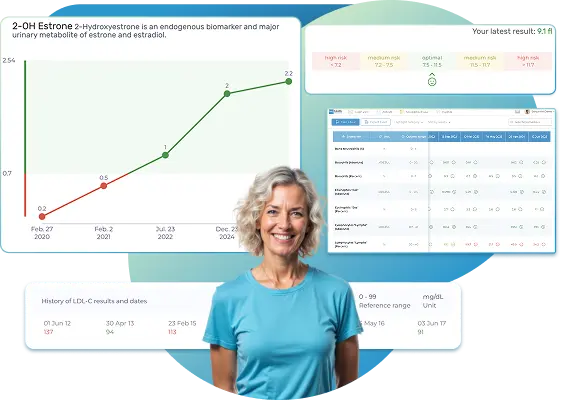
All Your Lab Results.
One Simple Dashboard.
Import, Track, and Share Your Lab Results Easily
Import, Track, and Share Your Lab Results
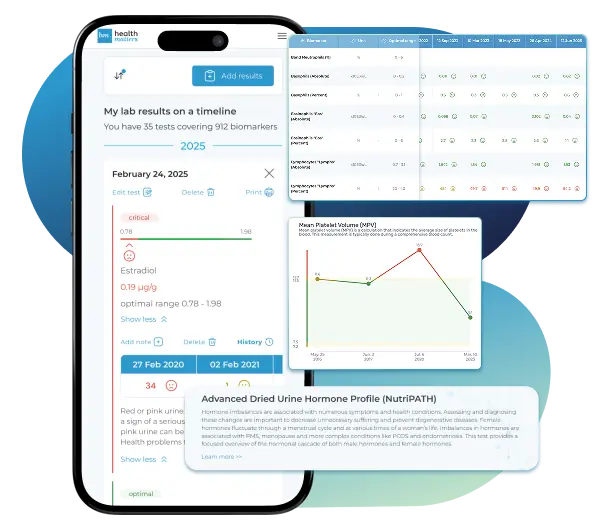
Import lab results from multiple providers, track changes over time, customize your reference ranges, and get clear explanations for each result. Everything is stored securely, exportable in one organized file, and shareable with your doctor—or anyone you choose.
Cancel or upgrade anytime
Related Biomarkers
Article Review & Sources
All our content is backed by peer-reviewed studies, academic research, and trusted medical sources. We're committed to accuracy and transparency — see our editorial policy for details.
Laboratories
Bring All Your Lab Results Together — In One Place
We accept reports from any lab, so you can easily collect and organize all your health information in one secure spot.









Pricing Table
Gather Your Lab History — and Finally Make Sense of It
Finally, Your Lab Results Organized and Clear

Personal plans

$79/ year
Advanced Plan
Access your lab reports, explanations, and tracking tools.
- Import lab results from any provider
- Track all results with visual tools
- Customize your reference ranges
- Export your full lab history anytime
- Share results securely with anyone
- Receive 5 reports entered for you
- Cancel or upgrade anytime
$250/ once
Unlimited Account
Pay once, access everything—no monthly fees, no limits.
- Import lab results from any provider
- Track all results with visual tools
- Customize your reference ranges
- Export your full lab history anytime
- Share results securely with anyone
- Receive 10 reports entered for you
- No subscriptions. No extra fees.
$45/ month
Pro Monthly
Designed for professionals managing their clients' lab reports
- Import lab results from any provider
- Track lab results for multiple clients
- Customize reference ranges per client
- Export lab histories and reports
- Begin with first report entered by us
- Cancel or upgrade anytime
About membership
What's included in a Healthmatters membership
 Import Lab Results from Any Source
 See Your Health Timeline
 Understand What Your Results Mean

 Visualize Your Results

 Data Entry Service for Your Reports
 Securely Share With Anyone You Trust
Let Your Lab Results Tell the Full Story
Once your results are in one place, see the bigger picture — track trends over time, compare data side by side, export your full history, and share securely with anyone you trust.




Bring all your results together to compare, track progress, export your history, and share securely.
What Healthmatters Members Are Saying

I have been using Healthmatters.io since 2021. I travel all over the world and use different doctors and health facilities. This site has allowed me to consolidate all my various test results over 14 years in one place. And every doctor that I show this to has been impressed. Because with any health professional I talk to, I can pull up historical results in seconds. It is invaluable. Even going back to the same doctor, they usually do not have the historical results from their facility in a graph format. That has been very helpful.
Anthony
Unlimited Plan Member since 2021
What fantastic service and great, easy-to-follow layouts! I love your website; it makes it so helpful to see patterns in my health data. It's truly a pleasure to use. I only wish the NHS was as organized and quick as Healthmatters.io. You've set a new standard for health tracking!
Karin
Advanced Plan Member since 2020
As a PRO member and medical practitioner, Healthmatters.io has been an invaluable tool for tracking my clients' data. The layout is intuitive, making it easy to monitor trends and spot patterns over time. The ability to customize reports and charts helps me present information clearly to my clients, improving communication and outcomes. It's streamlined my workflow, saving me time and providing insights at a glance. Highly recommended for any practitioner looking for a comprehensive and user-friendly solution to track patient labs!
Paul
Healthmatters Pro Member since 2024

We implement proven measures to keep your data safe.
At HealthMatters, we're committed to maintaining the security and confidentiality of your personal information. We've put industry-leading security standards in place to help protect against the loss, misuse, or alteration of the information under our control. We use procedural, physical, and electronic security methods designed to prevent unauthorized people from getting access to this information. Our internal code of conduct adds additional privacy protection. All data is backed up multiple times a day and encrypted using SSL certificates. See our Privacy Policy for more details.