
Cortisol Clearance Rate (CCR)
 Optimal Result:
6 - 12.5 Rate.
Optimal Result:
6 - 12.5 Rate.

Cortisol Clearance Rate (CCR) is a ratio on the DUTCH test that reflects how fast your body is clearing and metabolizing cortisol.
-
Higher CCR (fast clearance): More metabolites compared to free cortisol/cortisone → your body is clearing cortisol quickly.
-
Lower CCR (slow clearance): Fewer metabolites compared to free cortisol/cortisone → your body is clearing cortisol more slowly.
Why this test matters
-
Context for symptoms: A fast CCR can make free cortisol look low even when production is high, while a slow CCR can leave more free cortisol circulating, sometimes feeling like “high cortisol.” Both patterns can affect energy, sleep, mood, weight, and stress resilience.
-
Actionable insight: CCR integrates free and metabolized cortisol data to give a fuller picture of HPA axis activity and liver/kidney metabolism than free cortisol alone.
-
Treatment guidance: Knowing whether cortisol clearance is fast or slow helps clinicians tailor next steps, such as supporting thyroid or liver function, adjusting sleep/stress timing, or considering further testing.
How the CCR is calculated
DUTCH displays CCR as a slider/ratio:
-
High ratio = fast clearance (metabolites high compared to free cortisol).
-
Low ratio = slow clearance (metabolites low compared to free cortisol).
Each report has its own interpretation bands (slow ↔ fast). Always use the range from your report.
How to understand your CCR result
-
Fast CCR (high ratio): Cortisol is cleared quickly, free cortisol may look flat/low. Contributors can include higher metabolic rate, larger body size/BMI, and increased reductase enzyme activity.
-
Slow CCR (low ratio): Cortisol is cleared slowly, so free cortisol may run higher. Common contributors include low thyroid function and reduced liver metabolism.
-
Balanced CCR (mid-range): Free and metabolized values align, and emphasis shifts to daily rhythm (e.g., morning surge, nighttime decline) and symptom context.
Factors that affect your CCR
-
Thyroid function: Hypothyroidism can slow CCR; correcting thyroid often normalizes clearance.
-
Liver & kidney metabolism: Enzyme activity (5α/5β-reductase) directly influences clearance speed.
-
Body size & BMI: Higher BMI is often linked to faster cortisol clearance patterns.
-
Medications & stimulants: Caffeine, alcohol, certain drugs, or chronic sleep loss may shift CCR.
-
Collection & testing method: DUTCH uses validated dried urine assays; results are platform-specific—compare only within the same lab.
Related markers to read with CCR
-
24-hour Free Cortisol / Cortisone: Reflect daily available cortisol and circadian curve.
-
Metabolized Cortisol (THF + THE): Indicates total cortisol processed through liver and kidney.
-
Cortisol Awakening Response (CAR): Adds timing context by measuring the morning cortisol surge.
How to use your CCR result
-
Don’t interpret CCR alone—always check it alongside free cortisol, metabolized cortisol, and CAR.
-
Map CCR patterns to your symptoms (e.g., “low cortisol” fatigue may actually be fast clearance, while “wired-tired” insomnia may link to slow clearance).
-
Discuss thyroid health, liver/kidney function, BMI, stimulant use, sleep quality, and medications with your clinician if CCR is very high or low.
-
Re-test on the same platform after treatment changes to track trends instead of relying on a single result.
FAQs
Is CCR the same as metabolized cortisol?
No. Metabolized cortisol is part of the CCR equation. CCR is a ratio comparing metabolites to free cortisol/cortisone, reflecting clearance speed.
Can a fast CCR make my free cortisol look low?
Yes. Clearance can be so quick that free cortisol appears low, even when total production is robust.
What does a slow CCR mean?
It suggests cortisol is clearing more slowly, often linked to thyroid or liver function issues, and can leave free cortisol running higher.
Is dried urine accurate for this testing?
Yes. When collected properly, dried urine is validated for measuring cortisol and its metabolites. Always follow collection instructions carefully.
Lab Results Explained and Tracked
What does it mean if your Cortisol Clearance Rate (CCR) result is too high?
An elevated Cortisol Clearance Rate (CCR) ratio indicates that your body is metabolizing and clearing cortisol more quickly than average. In this pattern, cortisol is rapidly processed by the liver and kidneys into metabolites (THF + THE), so lab results may show higher metabolized cortisol alongside lower free cortisol levels. This means total cortisol production can be robust, yet the amount of active, circulating free cortisol available to your tissues may look “low” or flat.
Clinically, a fast CCR can help explain why someone with “low cortisol” on tests still produces a normal or high overall output. Contributing factors may include a higher metabolic rate, larger body size/BMI, increased reductase enzyme activity, chronic stress load, or certain lifestyle influences such as stimulant use.
While not harmful on its own, an elevated CCR can influence how your body feels and responds—for example, you may experience low energy, poor stress resilience, difficulty maintaining stable sleep, or slower recovery despite adequate hormone production. This makes CCR a valuable context marker: it distinguishes between true underproduction of cortisol and fast clearance that simply lowers circulating levels.
For the most accurate picture, CCR should always be interpreted alongside free cortisol, metabolized cortisol, daily rhythm (CAR), and clinical context. If clearance is unusually fast, your clinician might explore thyroid health, metabolic function, lifestyle factors, or nutrient/liver support to help optimize balance.
All Your Lab Results.
One Simple Dashboard.
Import, Track, and Share Your Lab Results Easily
Import, Track, and Share Your Lab Results
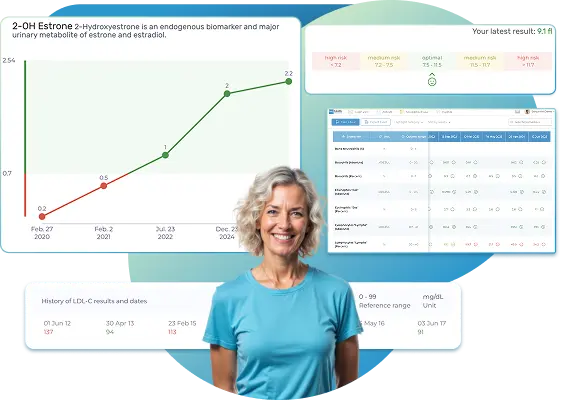
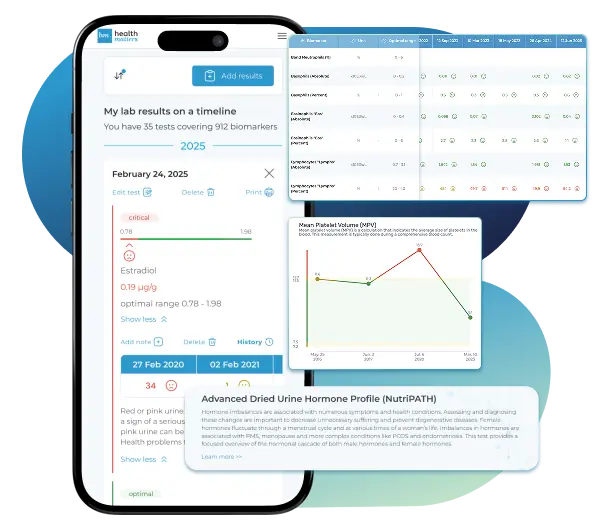
Import lab results from multiple providers, track changes over time, customize your reference ranges, and get clear explanations for each result. Everything is stored securely, exportable in one organized file, and shareable with your doctor—or anyone you choose.
Cancel or upgrade anytime
What does it mean if your Cortisol Clearance Rate (CCR) result is too low?
A low Cortisol Clearance Rate (CCR) ratio indicates that your body is clearing cortisol more slowly than average. In this pattern, fewer cortisol metabolites are produced relative to the levels of free cortisol and cortisone measured over the day. As a result, free cortisol remains higher in the bloodstream for longer, which can “feel” like high cortisol exposure to your tissues—even when total hormone output is normal or moderately increased.
Slow clearance can be influenced by several factors, including low thyroid function, reduced liver or kidney metabolism, lower enzyme activity, certain medications, or metabolic conditions that affect hormone breakdown. Clinically, a low CCR is often seen in people with hypothyroidism or sluggish metabolic processing.
Experiencing slow cortisol clearance can contribute to symptoms such as insomnia, feeling “wired but tired,” anxiety, irritability, weight gain, or persistent stress sensitivity. It’s important to note that high free cortisol resulting from slow clearance might not reflect excessive hormone production, but rather prolonged circulation due to reduced breakdown.
Because CCR is just one piece of the hormonal puzzle, results should be interpreted in combination with your full DUTCH report, related markers (like free and metabolized cortisol), and clinical guidance. If CCR is low, clinicians often review thyroid health, liver function, medication effects, and lifestyle habits to help support healthy cortisol metabolism and achieve better symptom control.
Article Review & Sources
All our content is backed by peer-reviewed studies, academic research, and trusted medical sources. We're committed to accuracy and transparency — see our editorial policy for details.
Laboratories
Bring All Your Lab Results Together — In One Place
We accept reports from any lab, so you can easily collect and organize all your health information in one secure spot.











Pricing Table
Gather Your Lab History — and Finally Make Sense of It
Finally, Your Lab Results Organized and Clear

Personal plans

$79/ year
Advanced Plan
Access your lab reports, explanations, and tracking tools.
- Import lab results from any provider
- Track all results with visual tools
- Customize your reference ranges
- Export your full lab history anytime
- Share results securely with anyone
- Receive 5 reports entered for you
- Cancel or upgrade anytime
$250/ once
Unlimited Account
Pay once, access everything—no monthly fees, no limits.
- Import lab results from any provider
- Track all results with visual tools
- Customize your reference ranges
- Export your full lab history anytime
- Share results securely with anyone
- Receive 10 reports entered for you
- No subscriptions. No extra fees.
$45/ month
Pro Monthly
Designed for professionals managing their clients' lab reports
- Import lab results from any provider
- Track lab results for multiple clients
- Customize reference ranges per client
- Export lab histories and reports
- Begin with first report entered by us
- Cancel or upgrade anytime
About membership
What's included in a Healthmatters membership
 Import Lab Results from Any Source
 See Your Health Timeline
 Understand What Your Results Mean

 Visualize Your Results

 Data Entry Service for Your Reports
 Securely Share With Anyone You Trust
Let Your Lab Results Tell the Full Story
Once your results are in one place, see the bigger picture — track trends over time, compare data side by side, export your full history, and share securely with anyone you trust.




Bring all your results together to compare, track progress, export your history, and share securely.
What Healthmatters Members Are Saying

I have been using Healthmatters.io since 2021. I travel all over the world and use different doctors and health facilities. This site has allowed me to consolidate all my various test results over 14 years in one place. And every doctor that I show this to has been impressed. Because with any health professional I talk to, I can pull up historical results in seconds. It is invaluable. Even going back to the same doctor, they usually do not have the historical results from their facility in a graph format. That has been very helpful.
Anthony
Unlimited Plan Member since 2021
What fantastic service and great, easy-to-follow layouts! I love your website; it makes it so helpful to see patterns in my health data. It's truly a pleasure to use. I only wish the NHS was as organized and quick as Healthmatters.io. You've set a new standard for health tracking!
Karin
Advanced Plan Member since 2020
As a PRO member and medical practitioner, Healthmatters.io has been an invaluable tool for tracking my clients' data. The layout is intuitive, making it easy to monitor trends and spot patterns over time. The ability to customize reports and charts helps me present information clearly to my clients, improving communication and outcomes. It's streamlined my workflow, saving me time and providing insights at a glance. Highly recommended for any practitioner looking for a comprehensive and user-friendly solution to track patient labs!
Paul
Healthmatters Pro Member since 2024

We implement proven measures to keep your data safe.
At HealthMatters, we're committed to maintaining the security and confidentiality of your personal information. We've put industry-leading security standards in place to help protect against the loss, misuse, or alteration of the information under our control. We use procedural, physical, and electronic security methods designed to prevent unauthorized people from getting access to this information. Our internal code of conduct adds additional privacy protection. All data is backed up multiple times a day and encrypted using SSL certificates. See our Privacy Policy for more details.